





eFoil Safety: How Fliteboard is Designed for Safer Riding
eFoiling is one of the most exciting ways to explore the water, but like any powered watersport, it should be approached with care, preparation and respect for your surroundings.
At Flite, safety isn't a single feature. It's a combination of hardware, software, battery management and rider education, all working together to help riders operate more confidently and responsibly on the water. With more than 22,400 boards ridden across over 90 countries, safety remains a core focus of our design and engineering process.

Is eFoiling Safe?
eFoiling is a powered watersport and carries inherent risks, just like boating, surfing and other water-based activities.
Safe riding depends on a combination of:
- Following the user guide
- Choosing suitable riding locations
- Wearing recommended protective equipment
- Riding within your ability level
- Understanding your equipment
- Following local marine regulations
To support riders, Flite incorporates multiple safety systems that help before, during and after every ride.

Safety Starts Before You Enter the Water
Many safety systems begin working before a ride even starts.
Deliberate Arming Procedure
Fliteboard requires a specific arming sequence before the motor can engage.
To arm the system, riders pull and release the trigger, then press the minus button. Once armed, the system remains active for five seconds before returning to standby if the trigger isn't used. This deliberate process is designed to reduce the risk of unintended motor activation.
Motor Test Mode
Before entering the water, riders can use Motor Test Mode to perform a quick functional check of the propulsion system. This helps confirm the system is operating correctly before the session begins.

How Does Fliteboard Automatically Shut Down the Motor?
Several systems continuously monitor the board while you're riding.
Automatic Tilt Detection
Every Fliteboard contains an Inertial Measurement Unit (IMU) that monitors the board's angle.
If the board tips beyond a defined angle or becomes inverted, the motor automatically cuts off.
Wireless Controller Monitoring
The connection between Fliteboard and Flite Controller is monitored continuously.
If the controller becomes submerged or moves out of communication range, the motor shuts down automatically.
For Flitescooter riders, a Bluetooth wireless safety key worn on the wrist immediately cuts power when the rider is no longer on the board.

What Are Fly Zones?
Fly Zones are a safety feature available in the Flite App that allow riders to create GPS-based riding boundaries.
Using the app, riders can define a riding area on the map. If the board leaves that area:
- The rider receives an alert
- A countdown begins
- The board automatically reduces speed
Fly Zones can be useful for families, Fliteschools, resorts and anyone wanting to keep riding within a defined area.
What Is Speed Limiting?
Speed Limiting allows riders to set a maximum speed using the Flite App.
Once a limit is set, the board won't accelerate beyond the selected speed until the setting is changed.
This feature can be particularly useful for:
- New riders
- Teaching friends and family
- Shared ownership
- Maintaining a more controlled riding experience

Propulsion Safety
Safety extends to the propulsion system.
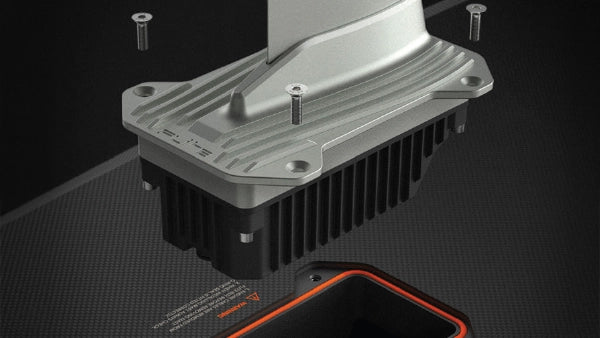
Flite Jet 2 features a fully enclosed impeller, providing an added layer of protection while delivering a smooth and responsive ride.
For riders using a propeller setup, the Propeller Guard provides additional coverage and can be removed as skills progress. Flite propellers are also designed to break on impact, helping reduce force transferred to the rider and board.

How Does Flitecell Help Improve Battery Safety?
Battery safety is one of the most important aspects of any electric vehicle, particularly in a marine environment.
Flitecell incorporates multiple layers of protection including:
- Phase Change Material (PCM) thermal management
- Cell-level fusing
- Over-current protection
- Battery Management System (BMS)
- Continuous temperature monitoring
- Titanium protective casing
- IP67-rated waterproof design
- Sight Glass for visual inspection
These systems continuously monitor battery performance and help support safe operation and longevity.
What Happens When Battery Levels Become Low?
Flite software continuously monitors:
- Battery percentage
- Power consumption
- Estimated range
- Remaining ride time
If battery levels become critically low, the controller provides visual, haptic and audible alerts.
What Is Limp Home Mode?
Limp Home Mode automatically reduces performance when battery levels become critically low.
The goal is to maximise the remaining energy available and help riders return toward shore safely.

Why Fliteschool Matters
Technology plays an important role in safety, but no feature replaces proper instruction.
Flite recommends that new riders begin with a lesson through an official Fliteschool, where experienced instructors can provide structured guidance on equipment setup, launching, riding techniques and local conditions.
Essential eFoil Safety Tips
Before every ride:
- Wear a helmet and certified impact vest or PFD
- Check your equipment before launch
- Ride in at least 1.5 metres of water
- Avoid swimmers and crowded areas
- Stay clear of surf lineups
- Maintain awareness of vessels and other water users
- Follow local regulations and speed limits
- Plan your ride and monitor battery levels

Safety by Design
At Flite, safety isn't treated as a single feature. It's built into the entire riding experience through startup procedures, intelligent software, propulsion design, battery management and rider education.
Because confidence on the water starts long before you take Flite.